
TL;DR
-
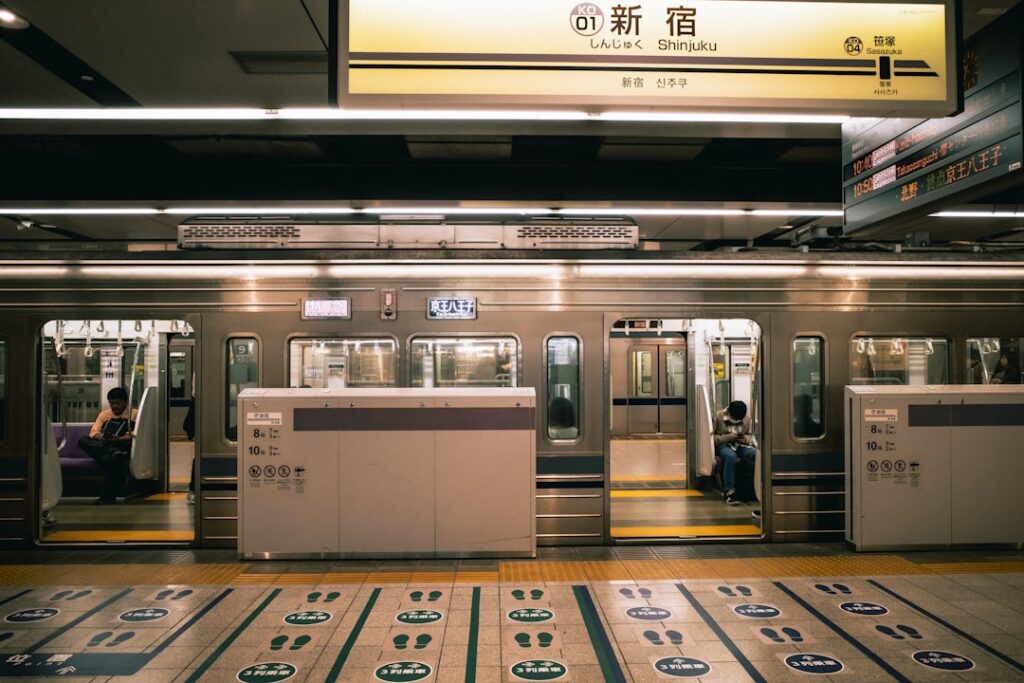
Children under 6 don’t need a card at all. They travel free with a paying adult (up to 2 per adult on most operators). Send them through the gate first, or right alongside you, not after: the flaps can start to close on a gap, and it’s startling the first time, even though nothing goes wrong
-
Children aged 6–11 need their own child IC card to get the correct half-fare. A credit card tap or an adult IC card will charge them full adult price
-
Adults can set up an IC card from their phone (Apple Wallet, and Google Wallet on FeliCa-compatible phones) before they even land. Children cannot. A child IC card always has to be issued in person, with proof of age, either at a Welcome Suica vending machine or a staffed ticket window
-
10 regional IC cards work interchangeably nationwide. Suica, Pasmo, ICOCA, and seven others all tap on each other’s gates, with a few regional caveats
-
The 2026 contactless credit card rollout is convenient for adults but doesn’t solve the kids’ fare problem. It still charges children full price
-
A QR-code day pass (Tokyo Subway Ticket) is a Tokyo-only alternative to an IC card. It’s fine for a Metro/Toei-heavy sightseeing day, but you’ll still need an IC card for JR or travel outside Tokyo
-
Deposits are refundable. Get your ¥500 (or similar) back before you leave Japan, at a station belonging to the card’s issuing company
The Situation in Japan
If you’ve traveled with an Oyster card in London or a Navigo pass in Paris, Japan’s IC card system will feel familiar: tap in, tap out, fare deducted automatically. What’s different is the sheer number of card brands, and the fact that Japan draws a hard line between “child” and “adult” fares that most contactless payment methods simply can’t handle.
Since 2013, Japan has had 10 mutually compatible IC cards, issued by different regional operators but usable on almost any train, subway, or bus nationwide: Suica (JR East, serving Tokyo, Sendai, Niigata), Pasmo (Tokyo’s non-JR operators), ICOCA (JR West, serving Osaka, Kyoto, Hiroshima), TOICA (JR Central, serving Nagoya), manaca (Nagoya’s non-JR operators), Kitaca (JR Hokkaido, serving Sapporo), SUGOCA (JR Kyushu, serving Fukuoka, Kumamoto, Kagoshima), nimoca (Fukuoka-area private lines), Hayakaken (Fukuoka Subway), and PiTaPa (Kansai’s non-JR operators, postpaid, and not available to tourists). In practice, this means a Suica bought at Narita Airport will tap through gates in Osaka, Sapporo, and Fukuoka without any special setup.
Where the compatibility has limits:
-
PiTaPa is a postpaid card tied to a Japanese bank account, so visitors should stick to the other nine
-
A few smaller regional bus networks and remote-area operators outside the 10-card zone (parts of Shikoku, some rural lines) don’t accept any of these cards, so carry cash as backup
-
Cards must be refunded through their issuing company: you can’t return a Suica at an ICOCA counter
The layer that trips families up is age. Japan splits fares into three brackets: children under 6 ride free (with a paying adult, usually up to two free per adult), children 6–11 pay exactly half fare, and everyone 12+ pays adult fare. IC cards enforce this automatically, but only if the card itself is set up as a child card. A credit card tap, an adult IC card, or an unregistered adult card will all charge a 6–11-year-old the full adult rate. It’s one of the more common ways families overpay on this trip, and it’s easy to avoid once you know the rule. For the general contactless-payment landscape in Tokyo (including the 2026 credit card tap rollout), see our Tokyo train system guide. This article focuses specifically on getting IC cards set up correctly for every age in your family.
Our own twins are 4, so we’re still in the free-riding phase ourselves: no card needed yet, just walking them through the gate with us. That splits this guide fairly cleanly into two kinds of information: what we’ve already had to work out firsthand as a family (which adult card to carry, how the gates behave with young kids, buying Shinkansen tickets when a plain IC card won’t cover it), and what we’ve researched ahead of time against JR East’s own rules because we know the child-card step is coming in a couple of years. We’ve said which is which as we go.
Step-by-Step: Setting Up IC Cards for Your Family
Step 1: Decide Who Needs a Physical Card
Not everyone in your family needs the same setup:
-
Adults: Can use mobile Suica/Pasmo (Apple Wallet, or Google Wallet on FeliCa-compatible phones) or a physical card; both work everywhere.
-
Children under 6: No card needed. They walk through the wide gate with you. Our habit with 4-year-old twins is to send them through right alongside our own tap, not after, since the gate flaps can start to close on a gap, and it’s a jolt the first time even though nothing goes wrong.
-
Children 6–11: Need a child IC card. This is the only way to get the correct half-fare, and it must be a physical card obtained in person (either at a Welcome Suica vending machine or a staffed window).
-
Children 12+: Are charged adult fare and can use a mobile wallet like any adult, once they have their own compatible phone/watch, or a standard adult physical card.
Why this matters for your budget: Over a two-week trip with several train rides a day, the gap between paying half fare and full fare for two children adds up to a meaningful amount. It’s worth the 15 minutes at a ticket window.
Step 2: Get an Adult IC Card
Adults have three easy options, and all can be started before you land:
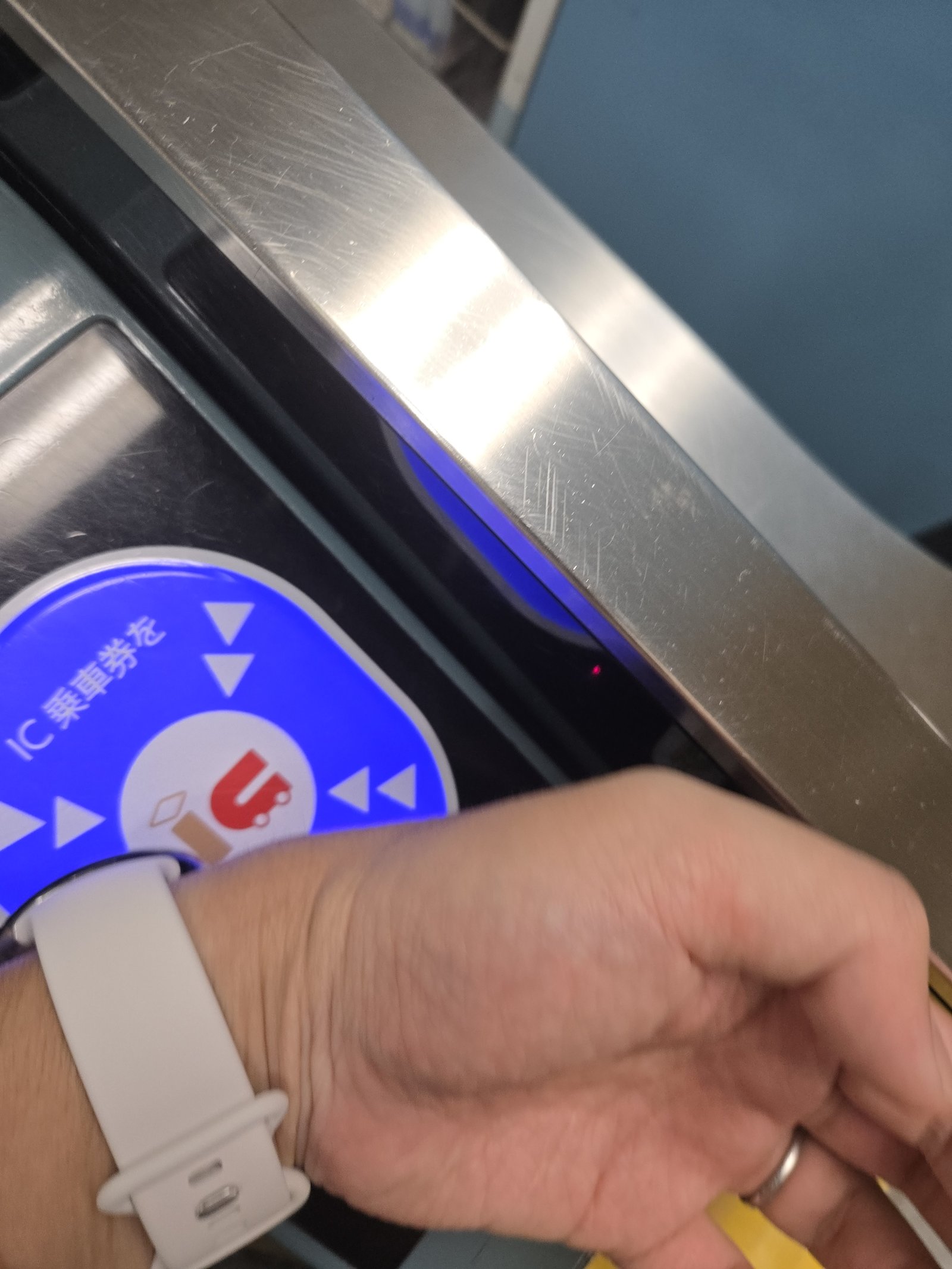
Mobile Suica (Apple Wallet): Open the Wallet app, tap “+”, choose Suica, and load a starting balance with your credit card. This works from outside Japan; no Japanese Apple ID required. Works on iPhone 8 or later, and Apple Watch Series 3 or later. We started with a physical card ourselves, then moved to Mobile Suica on a phone, and have since moved again to Suica on a smartwatch. Each step removed one more thing to dig for at the gate with a kid on one hip, and the watch has been the easiest of the three by a clear margin.
Mobile Suica (Google Wallet): This one has a catch. Adding Suica to Google Wallet requires a phone with Osaifu-Keitai/FeliCa hardware: the contactless standard Japan’s transit system runs on, which is different from the standard NFC chip most non-Japanese Android phones ship with. Japan-market Android phones support it natively; most Android phones sold outside Japan do not, with some newer Google Pixel models as a partial exception. If you’re unsure whether your Android phone qualifies, plan on a physical card instead.
Welcome Suica Mobile (iPhone only): A separate JR East app, distinct from adding a regular Suica in Apple Wallet, built specifically for visitors: launched in 2025, it issues a mobile Suica through its own app, tops up directly with a credit card, and needs no Japanese Apple ID. Its balance is valid for 180 days from issue (extended in March 2026 from an original 28 days) rather than never expiring like a registered card, so it’s the mobile equivalent of the tourist-only Welcome Suica card below, not the ordinary registered one. It requires iOS 17.2 or later and, for a watch, Apple Watch Series 3 or later; there’s no Android equivalent of this particular app.
Physical IC card: two different products, worth telling apart.
-
Welcome Suica / Tourist Pasmo (tourist-only products): Designed for short visits. No deposit, but the balance is non-refundable and the card deactivates 28 days after first use, so spend it down before it expires. Welcome Suica is sold at JR East ticket machines and travel service counters at Narita and Haneda; Tourist Pasmo is a newer equivalent (launched 2026, replacing the discontinued Pasmo Passport) sold at Haneda, Narita, and some Tokyo Metro/Pasmo-area counters.
-
Ordinary registered Suica/Pasmo: The same card residents use. Pay a ¥500 refundable deposit plus your starting balance; get the deposit back (and any remaining balance) when you return the card before leaving Japan. No expiry date. Available at JR East ticket machines, Tokyo Metro/Pasmo counters, and Narita/Haneda travel service counters.
For a family staying under a month, Welcome Suica/Tourist Pasmo is simpler for adults; for longer trips, or if you want the deposit back rather than treating it as a souvenir, get the registered version.
Keep ¥2,000–¥3,000 loaded per adult per day. Top-up machines with English menus are at every station, but plan on cash: most physical-card top-up machines don’t take credit cards (Mobile Suica in Apple Wallet is the main exception, since it can be topped up with a linked credit card from the Wallet app itself).
Step 3: Get a Child IC Card
This step gets less coverage than it deserves, and it’s the one that saves you money. We haven’t done this step ourselves yet (our twins are still under 6), so what follows is based on JR East’s own published process rather than our own trip, ready for when we need it.
A child IC card cannot be issued through a mobile wallet. Neither Apple Wallet nor Google Wallet offers a child card option; only adult cards. The system needs to verify the child’s age against an official document, which a phone can’t do on its own.
Two ways to get one, depending on which product you want:
Option A: Welcome Suica (Child), at a vending machine. JR East’s dedicated Welcome Suica vending machines, which can issue a child card without a staffed counter, exist at only three stations: Narita Airport, Narita Airport Terminal 2·3 Building, and Haneda Airport Terminal 3. At those machines, select the child option, enter the child’s date of birth, and have their ID (passport works) ready to show for verification. Tokyo, Shinjuku, Shibuya, and other stations that sell Welcome Suica do so over the counter at a JR East Travel Service Center instead, not from a vending machine; staff there can also issue the child version, but expect a short wait rather than a self-service machine. A family member can complete the purchase, but staff or the machine process may still ask to see the child’s passport. Like adult Welcome Suica, this version has no deposit, expires 28 days after first use, and leaves any unused balance non-refundable.
Option B: an ordinary registered child Suica/Pasmo, at a staffed counter. For a longer stay, or if you’d rather get the deposit back, go to a staffed ticket window; JR East calls this the Midori no Madoguchi (green ticket counter). Tokyo Metro and Pasmo-issuing operators have equivalent staffed counters, and JR East Travel Service Centers at Narita and Haneda can also issue them. Bring the child’s passport, ask for a child IC card (“kodomo IC card”), and pay the same refundable deposit as an adult card (typically ¥500) plus a starting balance. This version has no expiry date and can be registered in the child’s name.
Either way, the age cutoff is the same: child fare applies through the school year in which the child is still 11, specifically until March 31 of the school year they turn 12 (Japan’s school year runs April–March, so this lines up with finishing elementary school, not the literal birthday). After that, the card needs to be exchanged for or replaced with an adult card.
Related read: if you’re navigating gates with young kids in a stroller, see our guide on Getting Around Japan with a Stroller: What Nobody Tells You. Child IC card setup and wide-gate stroller access go hand in hand on day one.
Step 4: Top Up and Manage Balances
Top-up machines (multi-language menus) are at every station, but bring cash: physical IC card top-up machines generally don’t accept credit cards, including for Welcome Suica. Convenience store registers (7-Eleven, Lawson, and others) can also top up a physical card with cash. A few practical habits:
-
Keep at least ¥1,000 on each card, including kids’ cards, at the start of every day.
-
The JR East Suica app (for registered mobile Suica) lets you check balances and top up without finding a machine.
-
If a card runs low mid-journey, a fare adjustment machine near the exit gates will top it up just enough to let you out.
Step 5: Register Cards Where Possible
This applies to ordinary Suica/Pasmo (Option B above), not to Welcome Suica or Tourist Pasmo. A registered (“My Suica”/named) card, one where you provided your name and birthdate at issue, can be reissued with its balance intact if lost. An anonymous ordinary card cannot; if it’s lost, the balance is simply gone. For children’s cards especially, ask staff to register the card in the child’s name when you set it up; it costs nothing extra. Welcome Suica and Tourist Pasmo are tourist products designed to be disposable: they aren’t registered to a name, so there’s no equivalent loss-recovery path for them regardless of how they were purchased.
The March 2026 Contactless Credit Card Rollout: Quick Summary
Since March 2026, a growing number of railway operators, starting with 11 across the Kanto region (Tokyo Metro, Toei Subway, Tokyu, and others) and expanding into Kansai and Kyushu, let adults tap a contactless credit or debit card, Apple Pay, or Google Pay directly at fare gates instead of using an IC card. It’s a genuine convenience for adults on non-JR legs of a trip.
For families, the two things that matter most: most JR lines are excluded (the Yamanote Line and most other JR services still require an IC card or paper ticket), and it charges every rider full adult fare. There’s no child-fare mode for credit card tap anywhere in Japan, so a 6–11-year-old still needs a child IC card to get the correct half-price fare.
For the fuller rundown (operator and station counts, how to spot the right gate, regional coverage), see Toei Subway’s own tap-and-go guide or the contactless-payment section of our Tokyo train system guide, which covers it in more depth.
A Third Option in Tokyo: The QR Code Day Pass
There’s a third way to pay for a ride in Tokyo besides an IC card or a credit card tap: the Tokyo Subway Ticket, a QR-code day pass bought entirely on your phone. No physical card, no vending machine, no deposit. You buy it in advance, and at the gate you hold your phone to the QR reader panel instead of tapping.
The catch that matters for this article: it only covers Tokyo Metro and Toei Subway, not JR, and not the other private railways (Tokyu, Odakyu, Keio, and the rest). Everything else in this article is about the 10 nationwide IC cards, which work on JR and outside Tokyo too; the QR pass doesn’t replace that.
Does it make sense for a family instead of an IC card? As a supplement, often yes; as a full replacement, rarely. If you’ve got a day (or two or three) of intensive sightseeing that’s almost entirely on Metro/Toei lines, the flat-rate pass can be cheaper than tapping in and out on individual fares, and skipping IC card setup for that stretch is one less thing to manage. But the moment your itinerary touches the Yamanote Line, a JR airport train, or anywhere outside Tokyo, you’re back to needing an IC card, so most families are better off getting IC cards for everyone first, then layering a QR pass on top only for a specific Metro/Toei-heavy day.
Does child pricing apply? Yes, discounted child passes exist alongside the adult ones. For the full price table on Tokyo Metro’s own Tokyo Subway Ticket page, the tourist-passport requirement on the multi-day passes (the Metro-only 24-hour pass has no such restriction), and how to use it at the gate, see the “Option C: QR Code Day Pass” section of our Tokyo train system guide; that’s the fuller writeup, since this article’s focus is the nationwide IC card system.
What Your IC Card Doesn’t Cover: Shinkansen and Limited Express Tickets
Everything above gets your family through ordinary train and subway gates. It doesn’t get you a seat on the Shinkansen or a limited express; those need a separate paper or app ticket, bought at a Midori no Madoguchi ticket window or a ticket vending machine, on top of or instead of your IC card.
This is one part of the trip we have bought for our own family, since a Shinkansen or limited express ride comes up on most of our longer trips even while the kids are still too young for their own IC card. The fare rules here are more specific than the simple three-way split above, and they surprise a lot of parents:
-
Preschool-age children (under 6) riding on a parent’s lap don’t need a ticket at all, in either a reserved or non-reserved car.
-
If you want your under-6 child to have their own seat, you do need to buy them a ticket: the base fare plus the reserved-seat charge, at the child rate.
-
Elementary-school-age children (6–11) always need their own ticket, seat or no seat. Both the base fare and the limited-express/reserved-seat charge are billed separately, each at half the adult price.
This matches JR Central’s own published child-fare rules for the Shinkansen, and the split is consistent across JR companies nationwide. In our experience buying these at a counter, staff ask how many children are traveling and their ages before printing anything, so you don’t need to work out the combination yourself in advance. Just know what to expect when they ask. For more on making the Shinkansen itself enjoyable once you’re on board, see our long train journeys guide.
JR East Commuter Green Cars: Cheapest on Suica
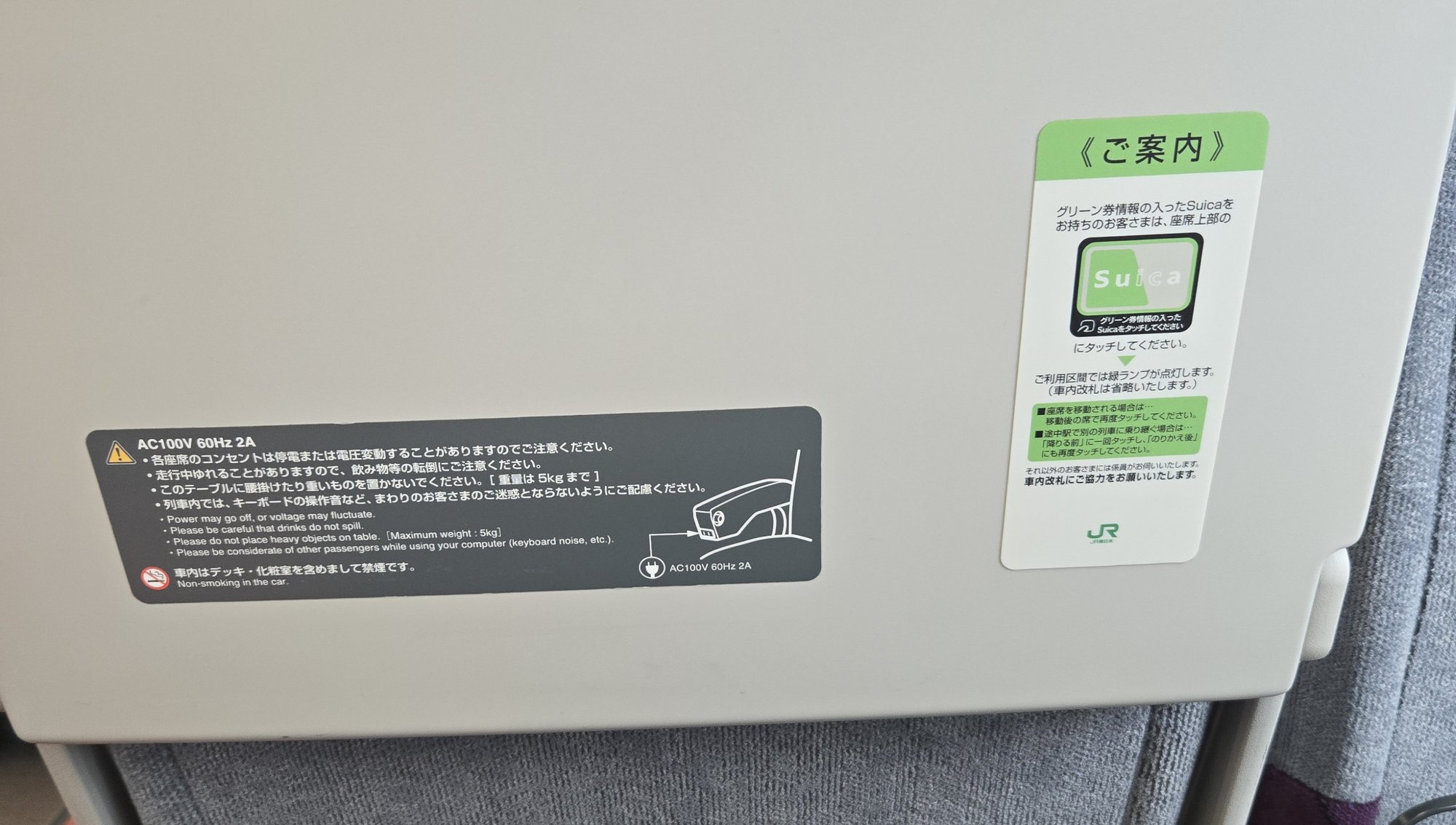
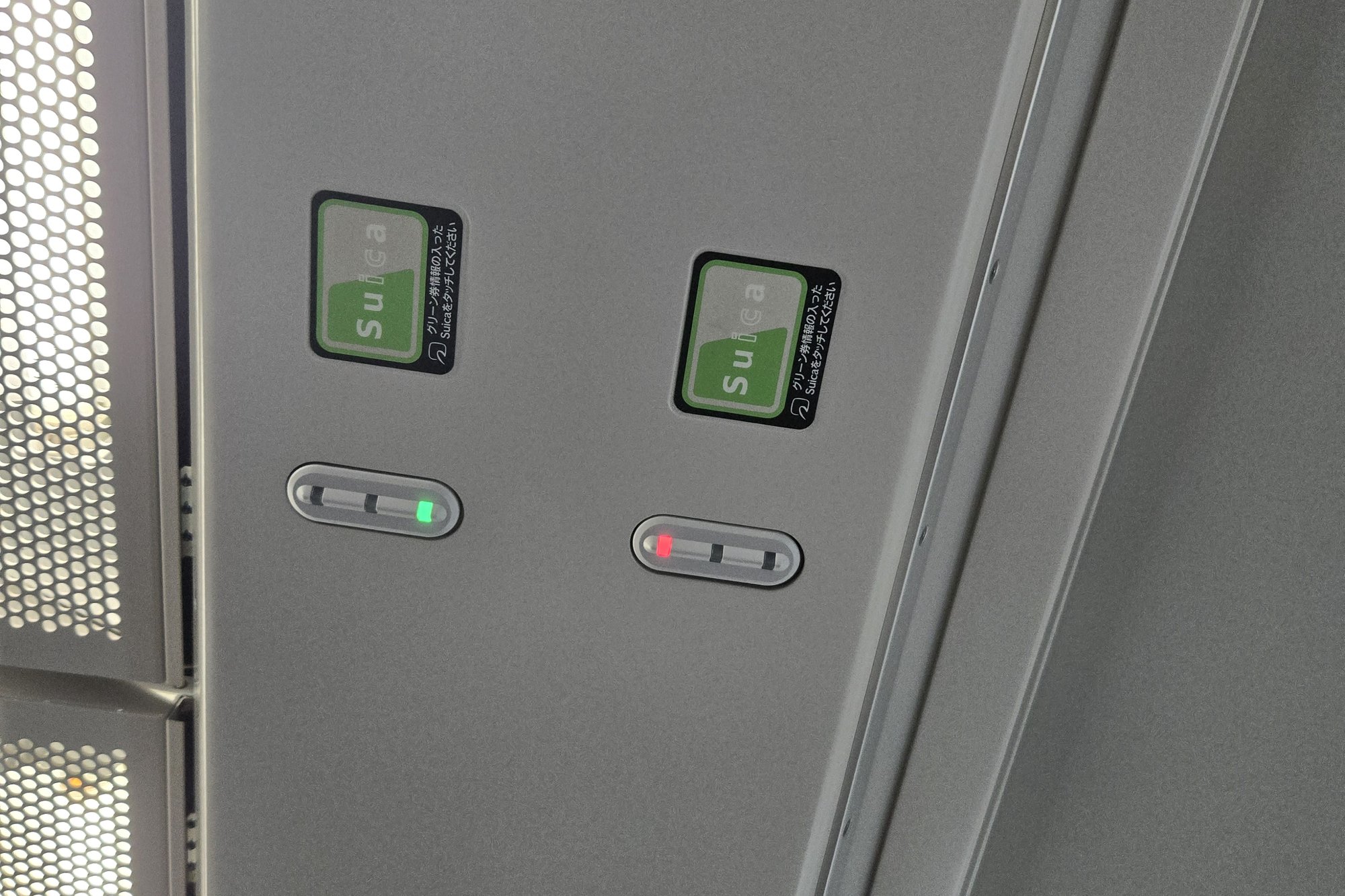
Unlike the Shinkansen, some ordinary JR East commuter lines (the Chuo Line among them) sell an optional Green Car upgrade, an extra-legroom upper or lower deck. JR East’s commuter Green Cars use a separate Suica step of their own. Buy the Green ticket first, either from the Suica reader on the platform before boarding or through the Mobile Suica app, then tap your Suica again at the seatback panel once you’re seated. Paper Green tickets and buying from the attendant on board also work, at a higher price: up to 50km, the Green fare is ¥750 on Suica bought before boarding and ¥1,010 otherwise. For the full fare table and what riding upstairs with kids is actually like, see our guide to reserved-seat trains in Tokyo with kids.
A lit red light means the seat is empty and unclaimed. Tap your Suica at the seatback reader once you’re seated, and the light switches to green, confirming you’re registered for that seat and letting the Green Attendant skip checking it in person during their rounds. A seat still showing red when occupied, a paper Green ticket holder who hasn’t tapped, for example, gets checked by the attendant instead.
Up to two preschool-age children travel free per paying adult, with no separate ticket needed for them.
Best Options Compared
| Option | Setup required | Works on JR | Correct child fare (6–11) | Deposit / balance | Best for |
|---|---|---|---|---|---|
| Mobile Suica (Apple Wallet, adult) | Minutes, from your phone, before arrival | Yes | No (adults only) | None | Adults who want zero hassle |
| Mobile Suica (Google Wallet, adult) | Minutes, but only on FeliCa/Osaifu-Keitai-compatible phones | Yes | No (adults only) | None | Adults with a Japan-market or FeliCa-capable Android phone |
| Welcome Suica Mobile (iPhone only, adult) | Minutes, dedicated app, credit-card top-up | Yes | No (adults only) | No deposit; balance non-refundable, expires 180 days after issue | Adults with a recent iPhone who want a tourist-simple mobile setup |
| Welcome Suica / Tourist Pasmo (adult or child) | Vending machine or counter, no staffed window strictly required | Yes | Yes, if the child version is selected | No deposit; balance non-refundable, expires 28 days after first use | Short trips (under a month) |
| Ordinary registered adult IC card | Machine or window, few minutes | Yes | No | ~¥500, refundable | Adults without a compatible phone, longer stays |
| Ordinary registered child IC card | In-person, staffed window, passport required | Yes | Yes | ~¥500, refundable | Longer trips, or if you want the deposit back |
| Credit card tap | None | No (most JR excluded) | No | None | Adults on non-JR lines only |
| QR code day pass (Tokyo Subway Ticket) | Bought on your phone in advance, no physical card | No (Tokyo Metro + Toei Subway only) | Yes, discounted child pass available | None (flat-rate pass, not a deposit card) | A Metro/Toei-heavy sightseeing day in Tokyo, alongside (not instead of) an IC card |
| Paper ticket | Ticket machine each trip | Yes | Yes (child ticket button) | None | Occasional single rides, backup when cards run out |
Common Mistakes Families Make
1. Trying to set up a child IC card through a mobile wallet
Parents naturally assume that if adult Suica works in Apple Wallet, a child version should too. It doesn’t. A child card always has to be purchased as a physical card, either at a Welcome Suica vending machine (with the child’s ID ready) or at a staffed ticket window. Budget time for this on day one instead of discovering it at a fare gate.
2. Assuming credit card tap works for kids
One of the more expensive mistakes on this list. If a 6–11-year-old taps a credit card (yours or their own), they’re charged full adult fare every time, and since fare-gate records are treated as final, there’s generally no route to a refund once the trip is logged. Get them a child IC card before you rely on tap-to-ride as a family.
3. Forgetting the deposit refund before leaving Japan
This applies to ordinary registered Suica/Pasmo, not Welcome Suica or Tourist Pasmo (which have no deposit to begin with). The ¥500 (or similar) deposit on a registered physical IC card is refundable, but only through the issuing company’s own stations: a Suica must be refunded at a JR East counter, not at a Kansai ICOCA counter, for example. Plan your refund stop before your last JR East station of the trip, especially if you’re flying out of an airport where the issuing operator has no counter (Suica specifically cannot be refunded at Haneda).
4. Not registering an ordinary child card in the child’s name
An unregistered ordinary card that gets lost on a crowded platform is simply gone, balance included. Registering it costs nothing and takes two minutes at the same window where you get the card issued. Note this only applies to ordinary registered Suica/Pasmo; Welcome Suica and Tourist Pasmo aren’t name-registered and don’t have an equivalent recovery option.
5. Assuming one IC card region works exactly like another
The 10 cards are interoperable for payment, but regional rules can differ slightly: for example, some regional operators only allow one free child under 6 per adult instead of Tokyo’s usual two. If you’re island-hopping across regions, don’t assume every rule from Tokyo travels with you.
6. Assuming the IC card covers the Shinkansen
An IC card gets you through the local and subway gates, but it doesn’t get you on a Shinkansen or limited express. That needs a separate ticket bought at a counter or vending machine, with its own child-fare rules (see above). Don’t leave buying it until you’re standing at the platform gate with a departure in ten minutes.
FAQ
Can I use a regular Suica for a 3-year-old?
You don’t need to. Children who haven’t yet started elementary school (roughly under 6) travel free with a paying adult on nearly every operator, up to two children per adult on most systems. No card, no tap. They simply walk through the gate with you.
Does my child need an IC card?
If they’re 6–11, yes; this is the only reliable way to get the correct half-fare on trains and buses. Without a child IC card, they’ll be charged the full adult rate whether you use a credit card tap, a shared adult IC card, or forget to buy a child paper ticket. If they’re 12 or older, they’re already at adult fare and can use a mobile wallet or standard adult card like anyone else in the family.
Can I set up my child’s Suica before we arrive in Japan?
No. Unlike adult mobile Suica, a child IC card can’t be issued remotely or through a phone. It always has to be done in person, with proof of the child’s age (a passport works). You have two options once you land: a Welcome Suica vending machine (enter the child’s birth date, show ID) for a quick, deposit-free card that’s good for 28 days, or a staffed ticket window for an ordinary registered child card with a refundable deposit and no expiry. Plan to do this on your first day, ideally at the airport before you head into the city.
What happens to the deposit when we leave Japan?
This only applies to ordinary registered Suica/Pasmo: Welcome Suica and Tourist Pasmo have no deposit, but also no refund on any balance left when they expire, so spend those down before day 28. For a registered card, take it to a station belonging to its issuing company (a Suica to JR East, an ICOCA to JR West, and so on) before you leave that region, and ask staff to cancel and refund the card. You’ll get the deposit back plus any remaining balance, usually minus a small handling fee (around ¥220) if there’s a balance left on the card. Spending the balance down to zero at a shop first avoids that fee. Note that Suica specifically can’t be refunded at Haneda Airport, since there’s no JR East counter there. Do it at a JR East station beforehand.
Does the March 2026 credit card tap system work for my kids?
No. Contactless credit card tap charges full adult fare for every rider, regardless of age, on every operator that supports it so far. It’s a genuine convenience for adults on non-JR lines, but it doesn’t replace a child IC card for anyone aged 6–11. See our Tokyo train system guide for the full details on which operators and stations support it.
Can one IC card work for the whole family?
Each person needs their own card (or mobile wallet) so each tap records the correct fare bracket for that individual. Sharing a single adult card among a group means everyone gets charged the adult rate and the system can’t track separate journeys properly at gates that require one tap per person.
What if we lose a child’s IC card during the trip?
For an ordinary registered card (name and birthdate given at issue), report it immediately at any station belonging to the issuing operator: they can suspend the lost card and issue a replacement with the balance protected, usually for a processing fee plus a new deposit, though you may need to return the next day to collect it. An unregistered ordinary card can’t be recovered if lost, which is why registering it at setup is worth the extra two minutes. Welcome Suica and Tourist Pasmo are a different case: they’re tourist products, not registered to a name, so there’s no equivalent recovery process. If one goes missing, it’s gone, similar to losing cash.
Do I need a different card in Osaka or Fukuoka than the one I got in Tokyo?
No; this is the point of the 10-card mutual compatibility system. A Suica or Pasmo bought in Tokyo taps through gates in Osaka, Kyoto, Nagoya, Sapporo, and Fukuoka without any extra setup. The one exception worth knowing is PiTaPa, a Kansai postpaid card not available to tourists, so you won’t be getting one of those anyway.
Can I use my IC card on the Shinkansen?
Not on its own. An IC card taps you through the local and subway gates, but a Shinkansen or limited express ride needs its own ticket: the base fare plus a limited-express or reserved-seat charge, bought at a ticket window or vending machine. Preschoolers under 6 ride free if they stay on a parent’s lap; if you want them in their own seat, or they’re 6–11, they need their own ticket at the child rate.
Plan Your Journey with Confidence
Now that your family’s cards are sorted, here’s what to tackle next:
→ Navigating Tokyo’s Train System with Kids: A First-Timer’s Guide: the full walkthrough of gates, platforms, and stroller spaces once your cards are ready
Also useful:
Information checked: 2026/09